Recurring revenue
Why Stripe MRR differs in PayBar
Compare PayBar’s current monthly recurring revenue estimate with Stripe Billing. Check subscription status, discounts, currency, and account settings.
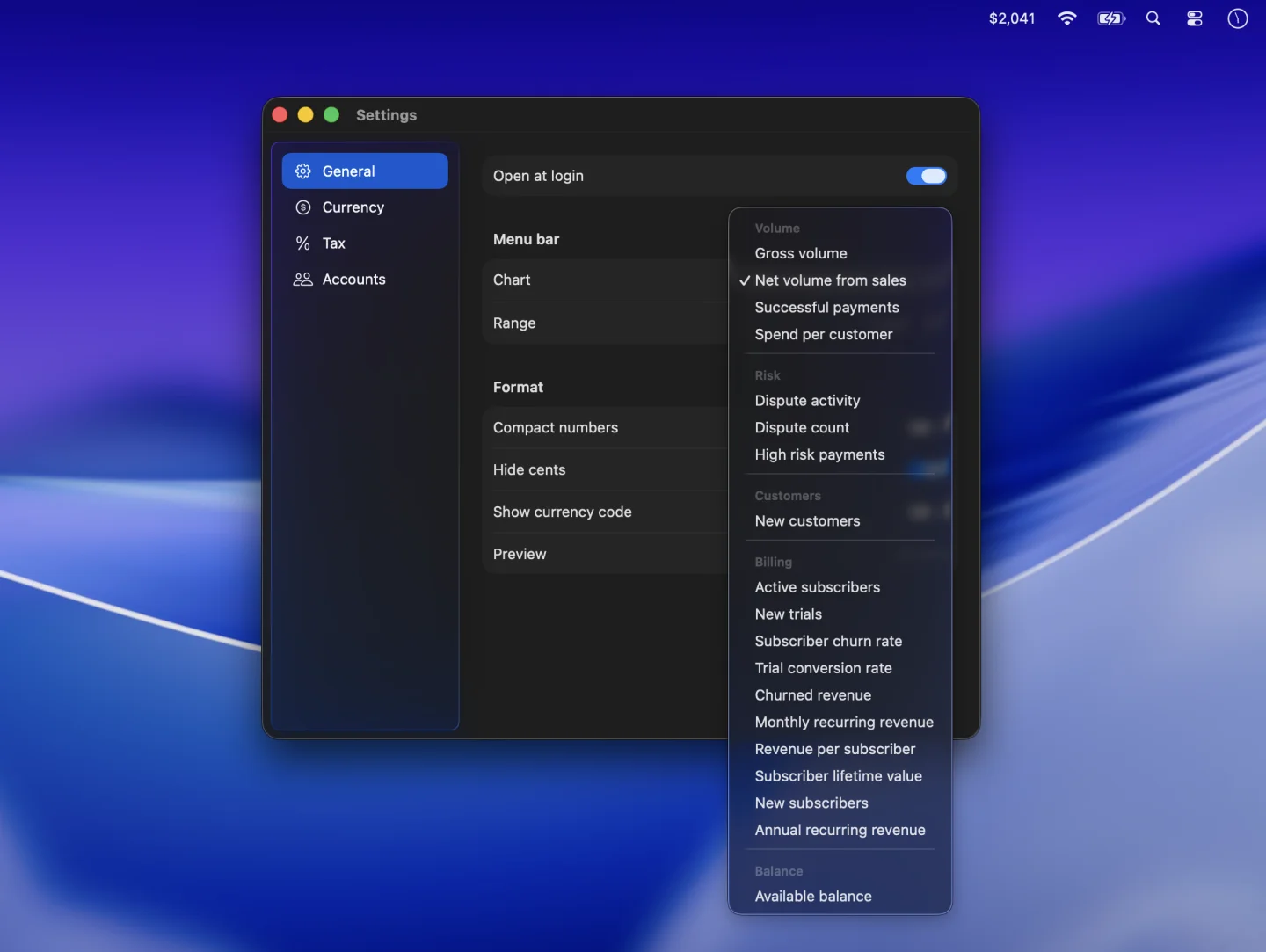
PayBar estimates monthly recurring revenue (MRR) from the subscription prices it reads from Stripe. Stripe Billing applies its own reporting rules. If you see a gap, compare the same account and currency first, then look at which subscriptions and amounts each calculation includes.
Compare the same account and currency
- In Settings → Accounts, turn off Total all accounts for a one-account comparison. Select the same business and live or test environment you’re viewing in Stripe.
- In Settings → General, choose Monthly recurring revenue. PayBar shows a current snapshot. Compare it with the latest MRR figure in Stripe Billing. For historical MRR, use Stripe’s billing reports.
- Turn off Convert amounts and Set aside tax for the comparison. Turn on Show currency code and turn off Compact numbers and Hide cents to see the full amount. PayBar counts matching subscription prices in the account’s reporting currency before any display conversion.
Check subscription status and discounts
PayBar counts subscription items with eligible prices when the subscription status is active or trialing. Stripe’s standard MRR counts active and past_due subscriptions and excludes items while they are in a trial. A paid plan still in a trial can raise PayBar’s estimate, while an overdue subscription can contribute to Stripe’s figure alone.
PayBar uses the recurring list price before coupon adjustments. Stripe Billing can subtract recurring and one-time discounts according to your metric settings and always subtracts permanent recurring discounts. For example, a $240 annual subscription contributes $20 to PayBar’s monthly estimate before discounts. A permanent 25% discount can bring its contribution in Stripe to $15.
Inspect recurring prices and quantities
PayBar multiplies the fixed price by the subscription item’s quantity, then converts the billing period into a monthly amount. Three seats at $60 per seat every three months contribute $60 per month. PayBar uses 52 weeks or 365 days per year for shorter billing intervals and works in whole minor currency units, such as cents.
PayBar skips items without a fixed unit amount, which includes tiered prices. Its estimate also uses subscription quantities and prices in place of usage records. Stripe’s standard MRR excludes metered prices, so check for usage-based items if your business uses them. For a customer-by-customer comparison, see Stripe’s Billing analytics documentation.
PayBar on your Mac
A 24-hour free trial will be available when online checkout opens.
Launch details