Getting started
Best Stripe revenue tracking apps for Mac: options compared
Compare Stripe Dashboard and independent Mac menu bar apps for tracking Stripe sales, MRR, account balances, and payment alerts.
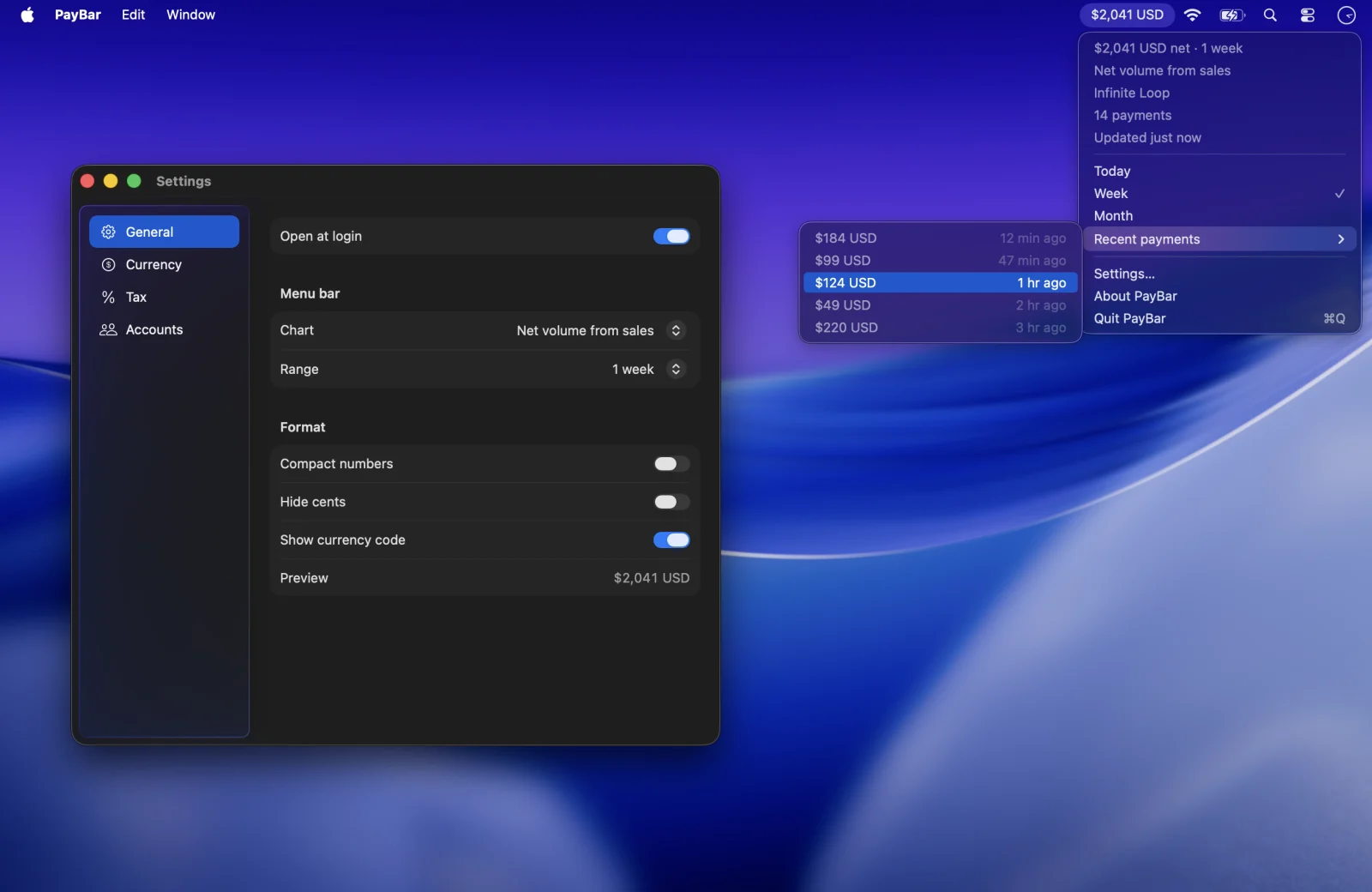
The best way to track Stripe revenue on a Mac depends on what you need to see: daily sales, subscription metrics, payment notifications, or a detailed accounting report. A lightweight menu bar app can make checking your numbers easier, while Stripe’s own Dashboard remains useful for full account administration.
We build PayBar. This comparison explains its features from our current app and the other products from their published descriptions, not a hands-on benchmark or an independent ranking. Check each developer’s current feature list, pricing and supported operating systems before purchasing.
Stripe Dashboard — for detailed reporting and management
Stripe’s official web Dashboard is the first choice when you need detailed payment information, exports, active account management, or native Stripe Billing reports. It's the source to consult for investigating transactions, changing billing settings, and reconciliations. The trade-off is that you usually need to keep a browser open and navigate back to the Dashboard to check a figure.
PayBar — for a selectable Stripe metric in the menu bar
PayBar puts one of 19 supported Stripe metrics in the Mac menu bar. The selection includes gross sales, net sales, payment counts, MRR, ARR, available balance and dispute metrics. It supports multiple Stripe accounts, currency conversion and an optional percentage set-aside for an after-tax display estimate.
PayBar is designed for someone who works on a Mac and wants a number visible without opening a dashboard. Its automatic updates fetch Stripe data periodically rather than providing a push notification on every sale. PayBar’s website offers a planned 24-hour trial and a $10 USD one-time purchase. Online checkout opens shortly.
CashNotify — for payment notifications and multiple platforms
CashNotify describes desktop payment notifications, a revenue overview, Stripe and PayPal connections, and support for both Mac and Windows. Its site also describes combined multi-account tracking for its PRO license. Consider it if event notifications or tracking both Stripe and PayPal are central to your workflow.
Cashbar — for simple Stripe balance monitoring
Cashbar is a menu bar tool focused on keeping the Stripe balance visible and providing a feed of payment activity. Its website describes multiple accounts, local Keychain storage, and dark-mode support. Check its available download and current macOS compatibility.
MRRbar and MonitorMRR — for subscription-focused monitoring
MRRbar advertises a menu bar revenue display with MRR, ARR, LTV and churn, plus RevenueCat and Stripe support. MonitorMRR describes MRR monitoring, historical revenue charts and both Stripe and LemonSqueezy integrations. They are worth comparing if you specifically want those additional providers or a subscription revenue history view.
What to check when choosing a Stripe Mac app
- Metric definitions: gross volume, sales after refunds and fees, Stripe available balance and MRR are different numbers.
- Account support: if you have more than one business, check how the app handles separate accounts and currencies.
- Security: prefer tools that work with narrowly scoped, revocable read-only permissions. Follow Stripe’s key documentation and keep keys private.
- Update behavior: check whether metrics are periodically refreshed or delivered as notifications. An always-visible number is different from an instant event alert.
- Cost and compatibility: check whether the tool is subscription-based or a one-time purchase, its current macOS requirements and whether you can try it before buying.
If you want to see daily Stripe sales or recurring revenue while you work, start with PayBar’s menu bar setup guide. If you need automatic payment alerts or financial actions instead, use the appropriate monitoring or account-management tool.
PayBar on your Mac
A 24-hour free trial will be available when online checkout opens.
Launch details