Currency
How to view Stripe revenue in another currency on your Mac
Choose a display currency for Stripe amounts in PayBar and understand why the figure can differ from what settles in Stripe.
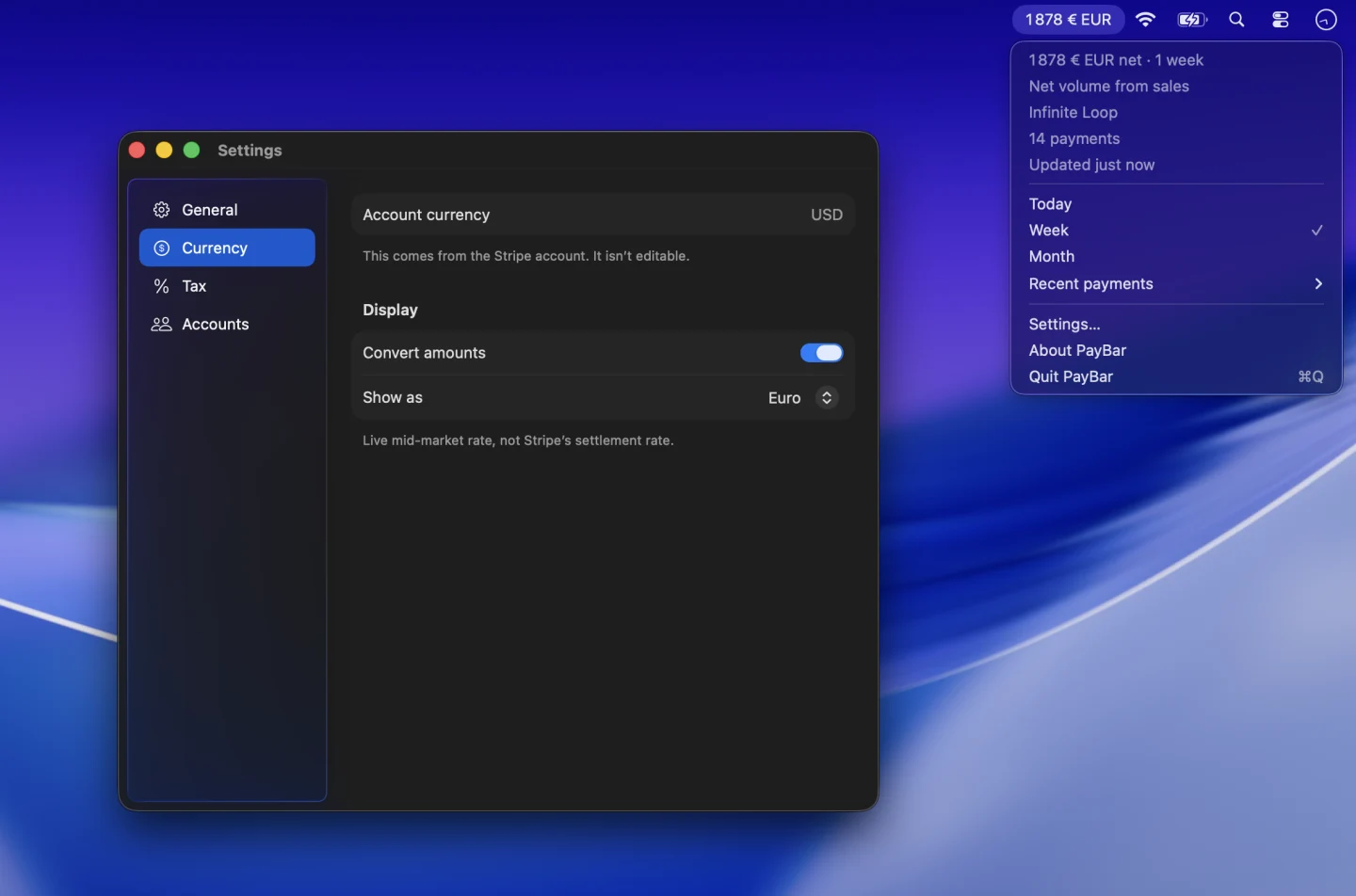
Choose a currency for your menu bar
- Click PayBar in the menu bar and open Settings → Currency. Account currency shows the currency PayBar is using for the selected Stripe account.
- Turn on Convert amounts. Under Show as, pick the currency you want to see.
- In Settings → General, turn on Show currency code to tell amounts such as USD and AUD apart at a glance.
To go back to amounts in the account currency, turn off Convert amounts.
Understand the converted figure
For example, if your Stripe total is $2,000 USD and the exchange-rate quote is 1.50 AUD per USD, PayBar displays $3,000 AUD. The setting changes the number shown in PayBar. Stripe sets its own conversion rates for settlement. See Stripe’s guide to payment and settlement currencies.
Use one display currency across accounts
If you track multiple Stripe accounts that settle in different currencies, choose a common display currency before enabling Total all accounts. PayBar can express supported monetary totals in that currency when the required exchange rates are available.
PayBar on your Mac
A 24-hour free trial will be available when online checkout opens.
Launch details