Payments
Stripe gross vs net volume: what your sales figures mean
Learn how Stripe gross sales differ from net sales after fees, refunds and disputes, with a worked example and Mac tracking instructions.
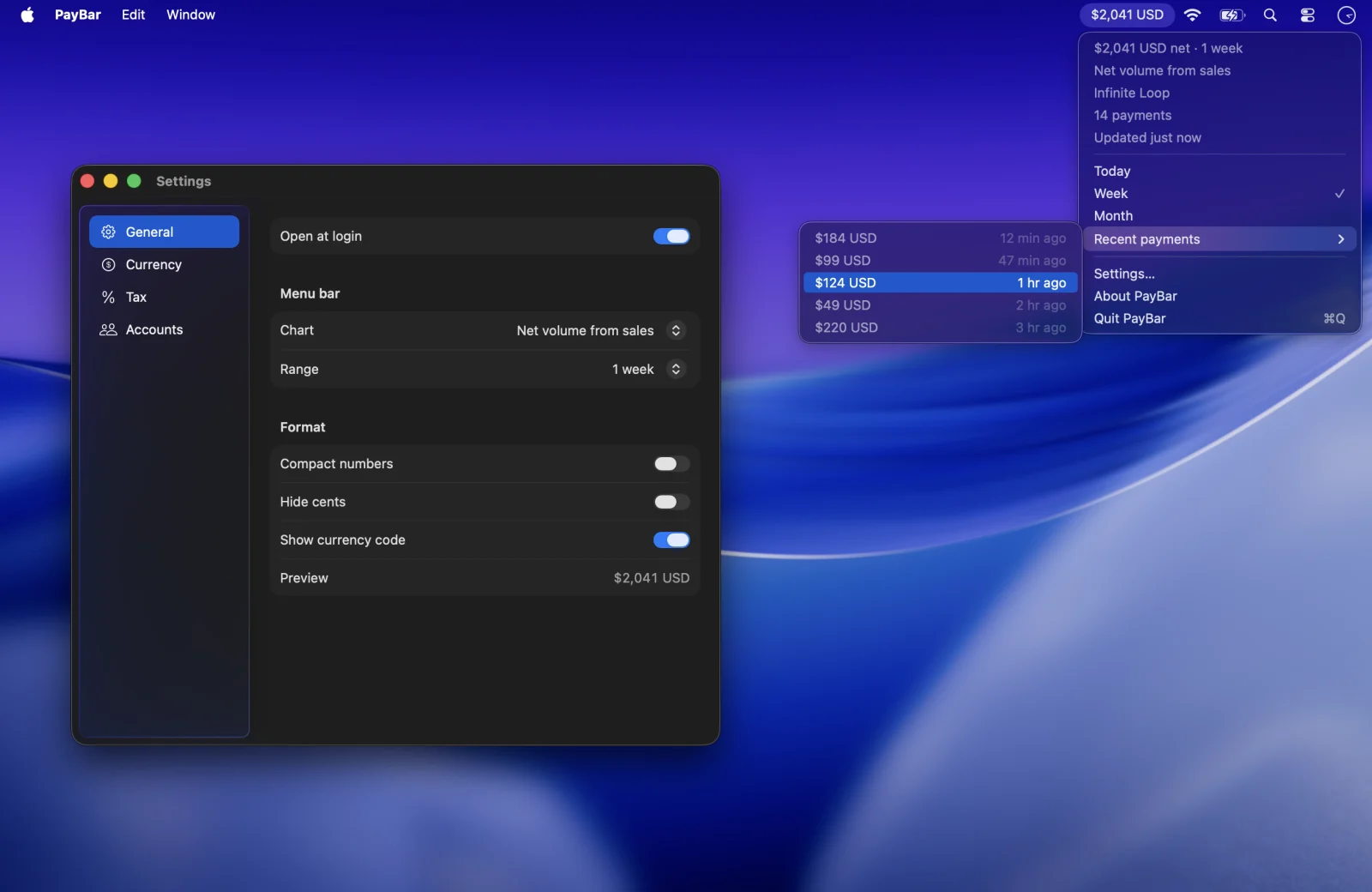
Gross Stripe sales and net Stripe sales answer different questions. Gross volume describes incoming sales before deductions; net volume from sales captures the change in your Stripe balance from those sales after related fees, refunds and disputes. Neither automatically equals profit or the amount that has arrived in your bank account.
What is Stripe gross volume?
PayBar’s gross volume total adds the gross amounts on incoming sales balance transactions in the chosen reporting currency and date range. This includes supported card and local payment methods. It does not subtract refunds, related payment fees or disputes. If you have a $100 sale, gross volume is $100, even if you refund part of it later.
What is Stripe net volume from sales?
PayBar uses the net amounts of the sales-related Stripe balance transactions: incoming payments, refunds, disputes and their reversals. A balance transaction’s net field already accounts for the fee attached to that transaction, so subtracting that fee again would double-count it.
Stripe describes how funds move through the account in its balance transaction guide, and the balance transaction object reference explains the gross amount, fee and net fields. PayBar uses selected sales reporting categories; separate fees, transfers, top-ups, payouts and other balance movements are not a comprehensive profit-and-loss statement.
Worked example: a $100 sale with a refund
Suppose your reporting currency is USD. A customer pays $100. The payment has a $3 fee, and you later refund $20 within the period being viewed. Assume no fee adjustment or additional charge on the refund.
- Gross volume: $100
- Net amount of the original sale: $100 − $3 = $97
- Net amount after the refund: $97 − $20 = $77
The fee in this example is illustrative; it is not a statement of Stripe’s pricing. Actual fees depend on the account and transaction. If a fee is refunded, an additional fee is charged, or a dispute is reversed, use the transaction’s actual net amount to reconcile the difference. You can also try our free Stripe net revenue calculator with your own amounts.
Why net sales differ from available balance and payouts
Your sales total covers activity in a period. Available balance is the settled amount currently available for a payout after prior movements, while a payout is money transferred from Stripe. A payment can be included in net sales before its funds settle. An earlier sale may also arrive in your bank during a later reporting period.
For the remaining distinctions, see Stripe’s settlement documentation or our guide to tracking available balance on Mac.
Show gross or net Stripe sales on your Mac
- Open PayBar’s Settings → General.
- Choose Gross volume or Net volume from sales under Chart.
- Choose Today or your preferred range. Turn off currency conversion and Set aside tax when comparing directly with Stripe.
For a reconciliation, also check the selected account, reporting currency, and reporting time zone. See why Stripe and PayBar figures can differ.
PayBar on your Mac
A 24-hour free trial will be available when online checkout opens.
Launch details